



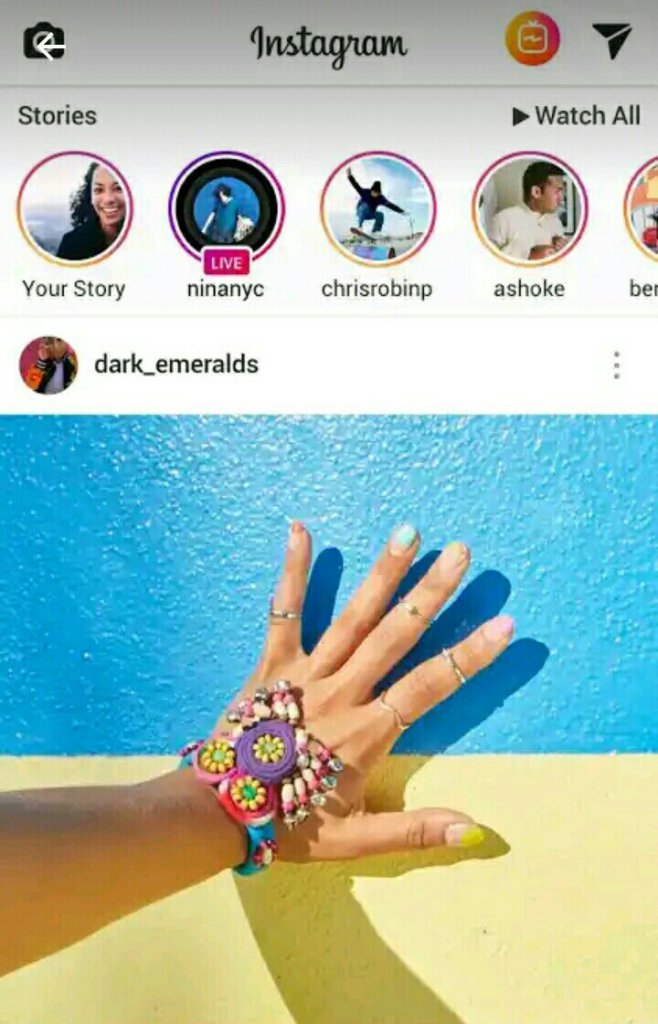
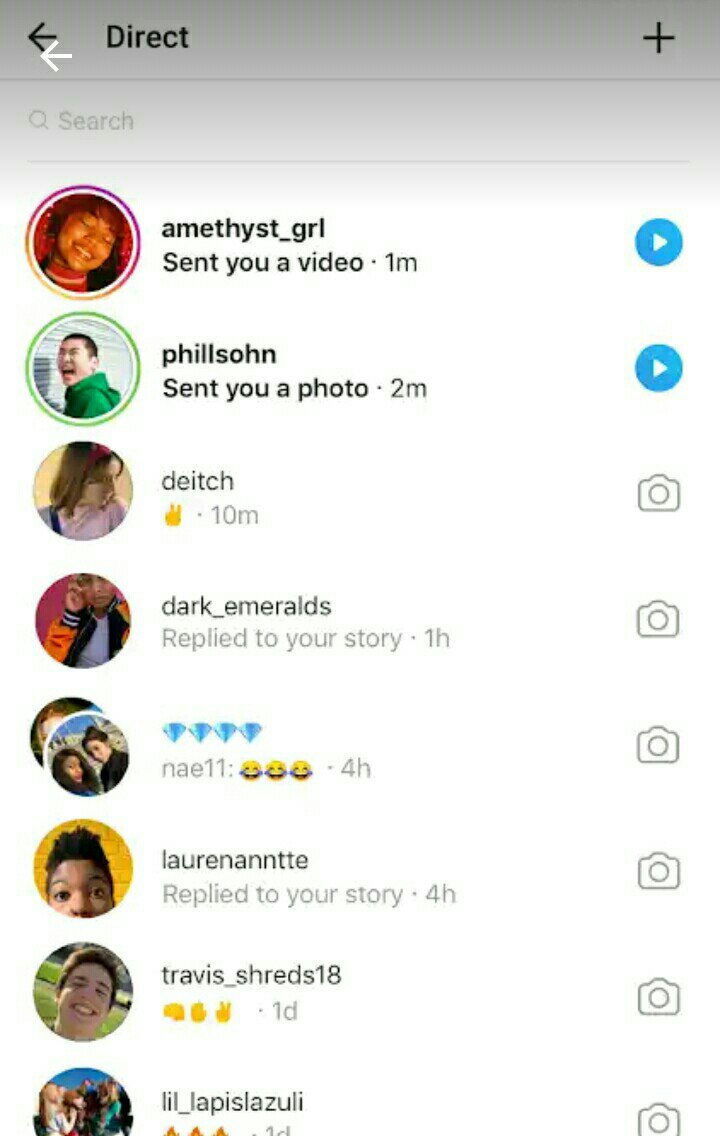
Instagram began development in San Francisco, when Kevin Systrom and Mike Krieger chose to focus their multi-featured HTML5 check-in project, Burbn on mobile photography. The word instagram is an amalgam of “instant camera” and “telegram”. Instagram ( also known informally as IG or Insta ) is an American photo and video-sharing social networking service owned by Facebook, Inc. It was launched in October 2010 exclusively on iOS. The app allows to upload photos and videos to the service which can be edited with various filters and organized with tags and location information .

one of the developer of instagran

also a developer of instagram
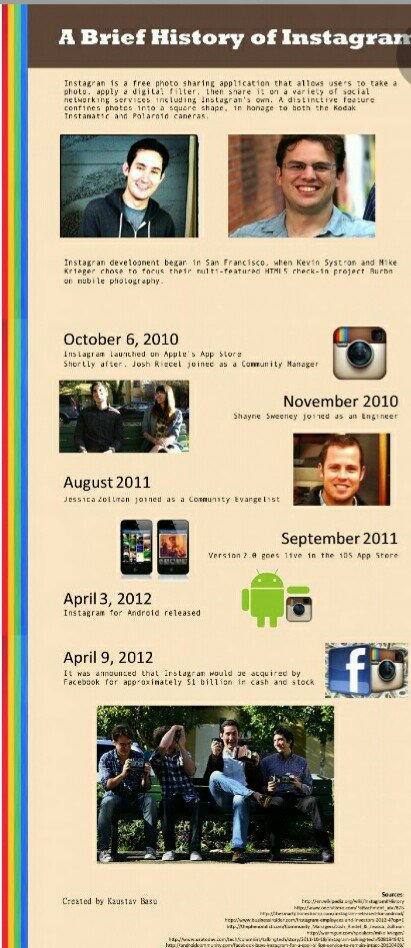
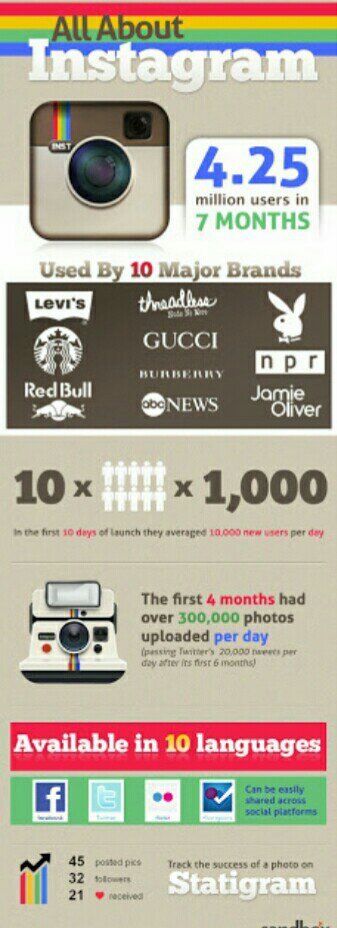
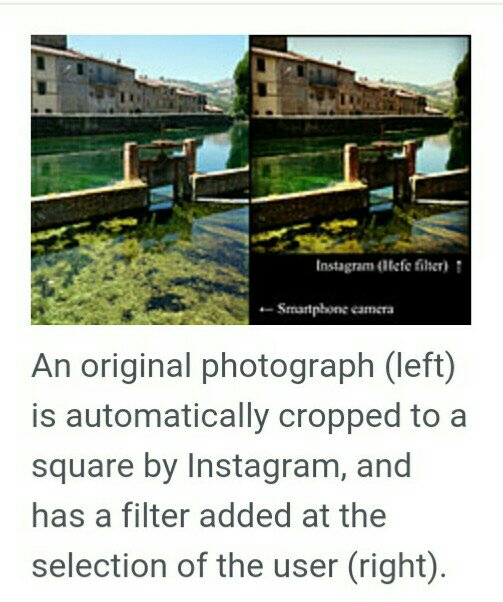
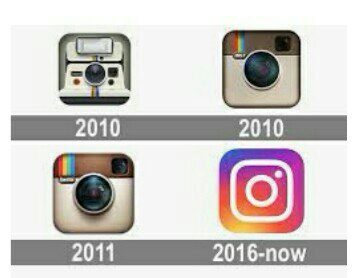
Users can upload photographs and short videos, follow other users’ feeds,and geotag images with the name of a location.Users can set their account as “private”, thereby requiring that they approve any new follower requests. Users can connect their Instagram account to other social networking sites, enabling them to share uploaded photos to those sites. In September 2011, a new version of the app included new and live filters, instant tilt–shift, high-resolution photographs, optional borders, one-click rotation, and an updated icon. Photos were initially restricted to a square, 1:1 aspect ratio; since August 2015, the app supports portrait and widescreen aspect ratios as well. Users could formerly view a map of a user’s geotagged photos.
Since December 2016, posts can be “saved” into a private area of the app. The feature was updated in April 2017 to let users organize saved posts into named collections. Users can also “archive” their posts in a private storage area, out of visibility for the public and other users. The move was seen as a way to prevent users from deleting photos that don’t garner a desired number of “likes” or are deemed boring, but also as a way to limit the “emergent behavior” of deleting photos, which deprives the service of content. In August, Instagram announced that it would start organizing comments into threads, letting users more easily interact with replies.
Since February 2017, up to ten pictures or videos can be included in a single post, with the content appearing as a swipeable carousel. The feature originally limited photos to the square format, but received an update in August to enable portrait and landscape photos instead.
In April 2018, Instagram launched its version of a portrait mode called “focus mode,” which gently blurs the background of a photo or video while keeping the subject in focus when selected.In November, Instagram began to support Alt text to add descriptions of photos for the visually impaired. They are either generated automatically using object recognition (using existing Facebook technology), or manually specified by the uploader.
Hashtags
In January 2011, Instagram introduced hashtags to help users discover both photos and each other. Instagram encourages users to make tags both specific and relevant, rather than tagging generic words like “photo”, to make photographs stand out and to attract like-minded Instagram users.
Users on Instagram have created “trends” through hashtags. The trends deemed the most popular on the platform often highlight a specific day of the week to post the material on. Examples of popular trends include #SelfieSunday, in which users post a photo of their faces on Sundays; #MotivationMonday, in which users post motivational photos on Mondays; #TransformationTuesday, in which users post photos highlighting differences from the past to the present; #WomanCrushWednesday, in which users post photos of women they have a romantic interest in or view favorably, as well as its #ManCrushMonday counterpart centered on men; and #ThrowbackThursday, in which users post a photo from their past, highlighting a particular moment.
In December 2017, Instagram began to allow users to follow hashtags, which displays relevant highlights of the topic in their feeds.
Explore
In June 2012, Instagram introduced “Explore”, a tab inside the app that displays popular photos, photos taken at nearby locations, and search. The tab was updated in June 2015 to feature trending tags and places, curated content, and the ability to search for locations. In April 2016, Instagram added a “Videos You Might Like” channel to the tab, followed by an “Events” channel in August, featuring videos from concerts, sports games, and other live events, followed by the addition of Instagram Stories in October. The tab was later expanded again in November 2016 after Instagram Live launched to display an algorithmically-curated page of the “best” Instagram Live videos currently airing. In May 2017, Instagram once again updated the Explore tab to promote public Stories content from nearby places.
Photographic filters
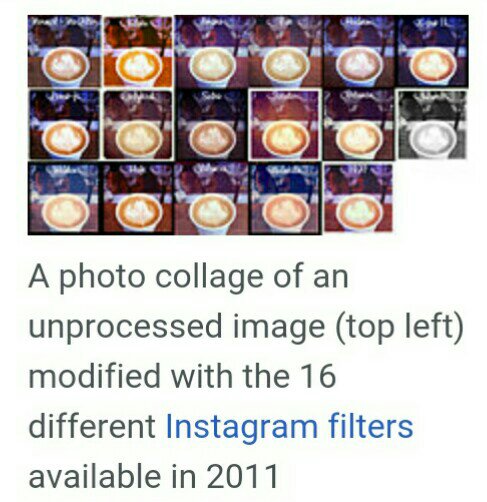
Instagram offers a number of photographic filters that users can apply to their images:
- Normal: No filter applied.
- 1977: The increased exposure with a red tint gives the photograph a rosy, brighter, faded look.
- Amaro: Adds light to an image, with the focus on the center.
- Brannan: Increases contrast and exposure and adds a metallic tint.
- Earlybird: Gives photographs an older look with a sepia tint and warm temperature.
- Hefe: High contrast and saturation, with a similar effect to Lo-Fi but not quite as dramatic.
- Hudson: Creates an “icy” illusion with heightened shadows, cool tint and dodged center.
- Inkwell: Direct shift to black and white – no extra editing.
- Kelvin: Increases saturation and temperature to give it a radiant “glow”.
- Lo-fi: Enriches color and adds strong shadows through the use of saturation and “warming” the temperature.
- Mayfair: Applies a warm pink tone, subtle vignetting to brighten the photograph center and a thin black border.
- Nashville: Warms the temperature, lowers contrast and increases exposure to give a light “pink” tint – making it feel “nostalgic”.
- Rise: Adds a “glow” to the image, with softer lighting of the subject.
- Sierra: Gives a faded, softer look.
- Sutro: Burns photo edges, increases highlights and shadows dramatically with a focus on purple and brown colors.
- Toaster: Ages the image by “burning” the center and adds a dramatic vignette.
- Valencia: Fades the image by increasing exposure and warming the colors, to give it an antique feel.
- Walden: Increases exposure and adds a yellow tint.
- Willow: A monochromatic filter with subtle purple tones and a translucent white border.
- X-Pro II: Increases color vibrancy with a golden tint, high contrast and slight vignette added to the edges.
- Slumber: Desaturates the image as well as adds haze for a retro, dreamy look – with an emphasis on blacks and blues.
- Cream: Adds a creamy look that both warms and cools the image.
- Ludwig: A slight hint of desaturation that also enhances light.
- Aden: This filter gives a blue/green natural look.
- Perpetua: Adding a pastel look, this filter is ideal for portraits.
- Clarendon: Intensifies shadows and brightens highlights. Originally released as a video-only filter.
- Gingham: Washes photos out. Gives a yellowish tone when used on dark photos or a brighter, dreamy look when used on light photos.
- Moon: Black and white version of Gingham, with slightly more intense shadows.
- Stinson: Subtle filter that brightens an image, washing out the colors slightly.
- Crema: Vintage filter that desaturates images. Smooths and washes out skin tones.
- Lark: Desaturates reds while punching up blues and greens – brings landscapes to life.
- Reyes: Gives photos a dusty, vintage look.
- Juno: Tints cool tones green, makes warm tones pop and whites glow – for vibrant photos of people.
In February 2012, Instagram added a “Lux” filter, an effect that “lightens shadows, darkens highlights and increases contrast”.
In December 2014, Slumber, Crema, Ludwig, Aden, and Perpetua were five new filters to be added to the Instagram filter family.


Original author’s :Kevin Systrom, Mike Krieger Developer(s)Facebook, Inc.
Initial releaseOctober 6, 2010; 9 years ago
Available in 32 languages
List of languages :English, Croatian, Czech, Danish, Dutch, Finnish, French, German, Greek, Hindi, Hungarian, Indonesian, Italian, Japanese, Korean, Malay, Norwegian Bokmål, Polish, Portuguese, Romanian, Russian, Simplified Chinese, Slovak, Spanish, Swedish, Tagalog, Thai, Traditional Chinese, Turkish, Ukrainian and Vietnamese.

that can help users


 My Travel Experience in Paradise